




Blog
Setting Up a Multi-Location Reservation System for Restaurant Chains
Read Post →
An early look at my next bookings plugin for restaurants
This restaurant bookings plugin has been released, and it’s been very popular! Take a look.
The last couple weeks I’ve been hard at work on a new plugin for online bookings. Theme of the Crop’s next theme will also cater to restaurants, and it has been designed from the ground up to promote online bookings. So I needed a good solution for capturing and managing reservations.
There are a lot of plugins out there to accomplish this. But most of them integrate third-party services you’ll have to pay for. Others offered features that were vital to restaurants only in their paid version. I needed a solution that purchasers of my next theme could integrate seamlessly, without any extra charges, into their website.
I outlined the core features I thought would serve most restaurants well:
- Simple form to capture bookings that can be included in page templates or with a shortcode or widget.
- Only accept valid dates and times.
- Lightweight platform to receive, confirm and reject bookings.
- Custom WordPress user permissions so in-house staff can manage things without having access to the rest of the site.
- Email notifications so customers are kept aware of the status of their request.
I’ve now got most of the features implemented, so I thought I’d give you a quick preview of the plugin.
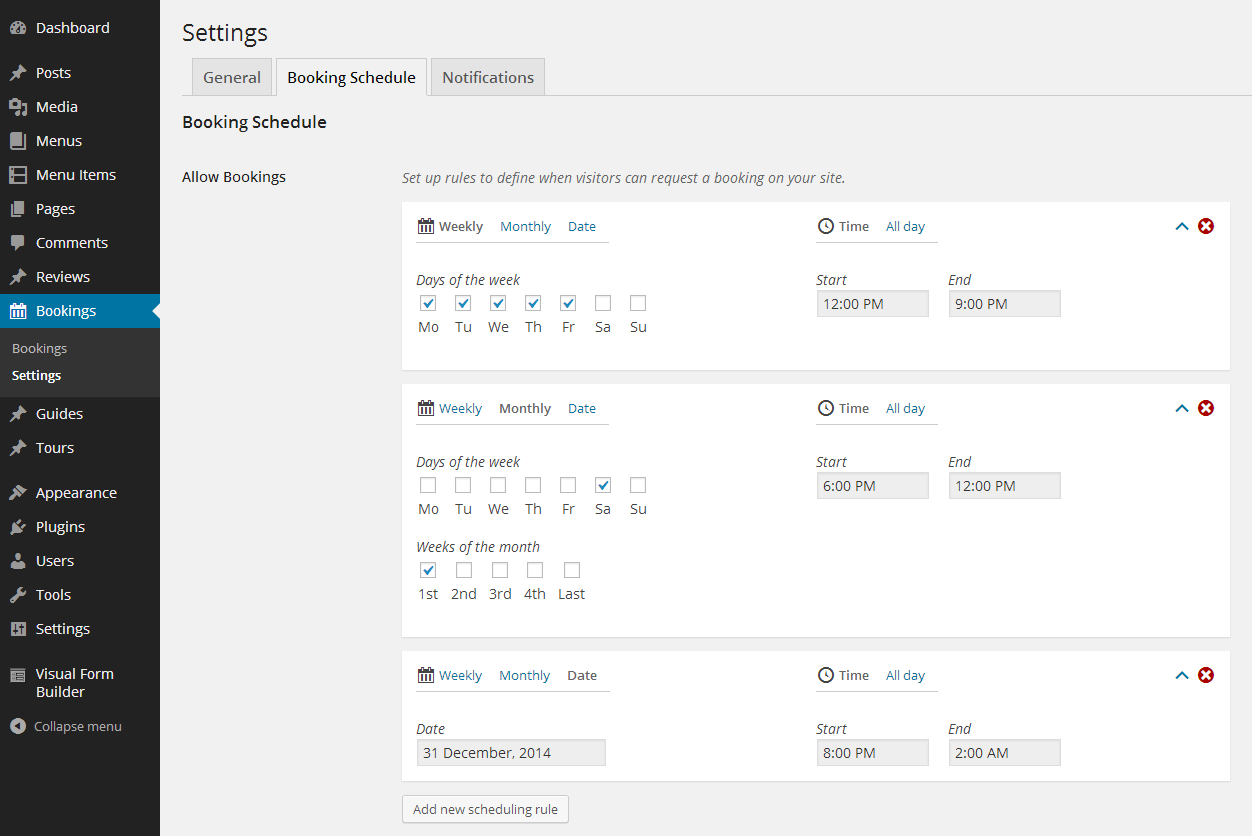
In addition to the scheduling rules, you can set up exceptions. Are you closed on Christmas day? Do you open extra late on the last Friday of every month? The scheduler provides a simple, clear way to define your booking schedule.
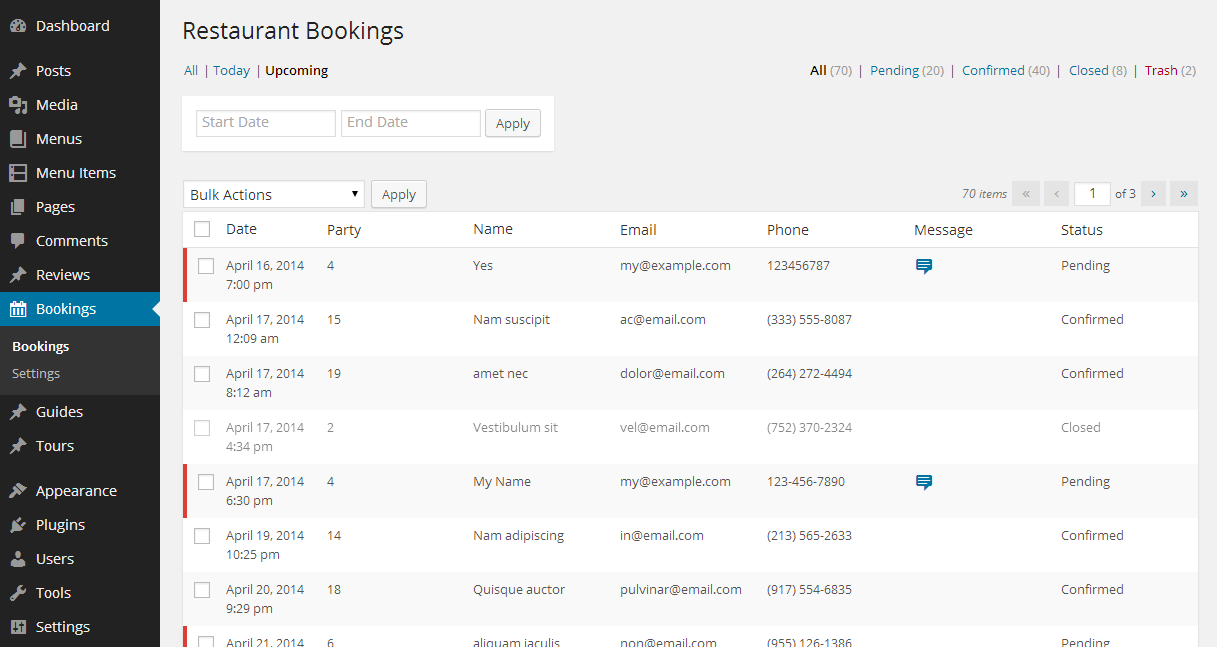
The bookings panel provides lots of filters so you can view just today’s bookings, upcoming bookings, search bookings by date, or view just the pending bookings you need to confirm or reject. Most restaurants will likely still manage their reservations the old-fashioned way — pen and paper. So I designed the bookings panel to require as little intervention as possible. On a busy restaurant floor, staff won’t want to fuss about with a full bookings system.

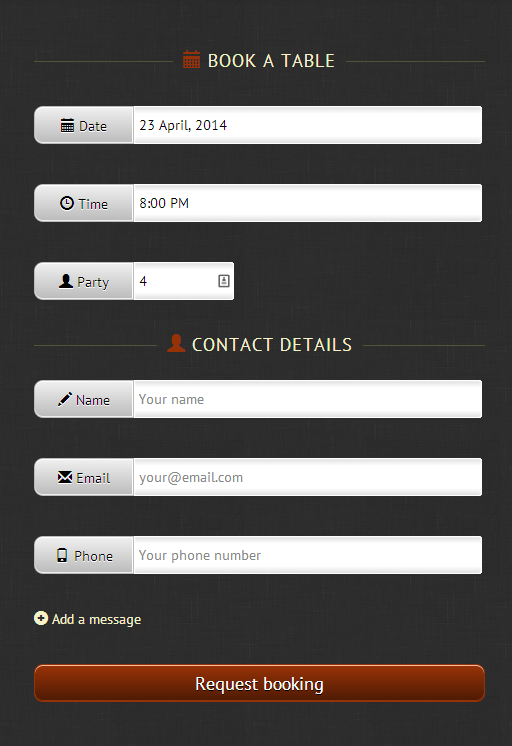
This plugin will be released on the WordPress.org repository alongside my Food and Drink Menu plugin. Together, they’ll form the start of a suite of plugins I plan to develop which will provide all the functionality you’ll need to power a restaurant website. They’ll also power all of my themes. That last screenshot is from Theme of the Crop’s next theme.
I hope to get the next theme out soon. Then I’ll release this reservations plugin for public consumption.






Discover all of our WordPress restaurant plugins
Browse Plugins
