




Blog
Setting Up a Multi-Location Reservation System for Restaurant Chains
Read Post →
Reservation Deposits and Holds for WordPress
When guests aren’t arriving for their reservations, and reminders and late arrival notifications haven’t worked, many restaurant owners consider charging a reservation deposit fee or putting a hold on a guest’s card pending their arrival for their reservation. In this blog post, we’ll show you how to enable deposits and holds in our Five Star Restaurant Reservations WordPress plugin.
To get started, you’ll need an Ultimate license for the plugin. After that, head to the Payments tab of the plugin’s settings page, and toggle on Require Deposit. Select the gateway that you’re going to be using for deposits, and then select how you want to charge for deposits (either per reservation or based on the party size). There are also options to only charge deposits on larger groups, or at certain times of the day and certain days of the week. Finally, make sure that your payment gateway details are filled in, either your PayPal email address or your Stripe Secret and Publishable fields.
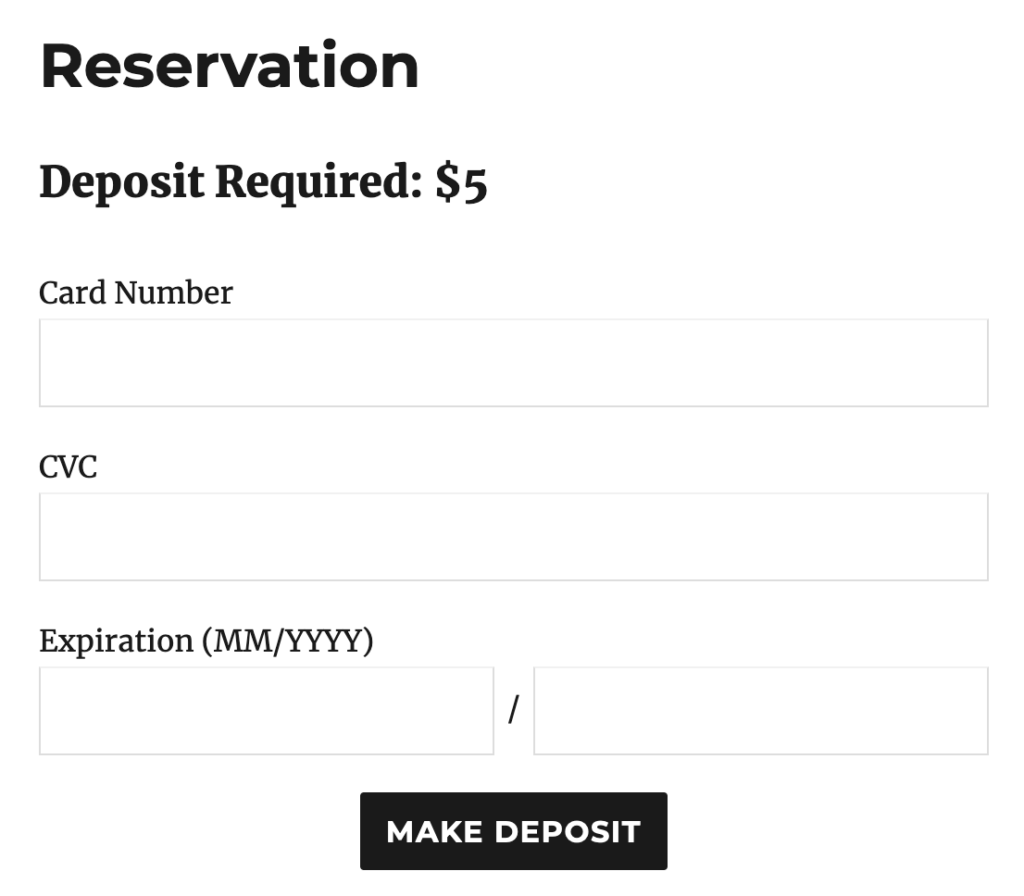
Once enabled, a payment form or button will be displayed whenever a reservation is created in the plugin, with the amount of the deposit determined based on the settings you selected. Many restaurant owners use the deposit amount as a credit against the guest’s bill, when they arrive at the restaurant for their reservation.
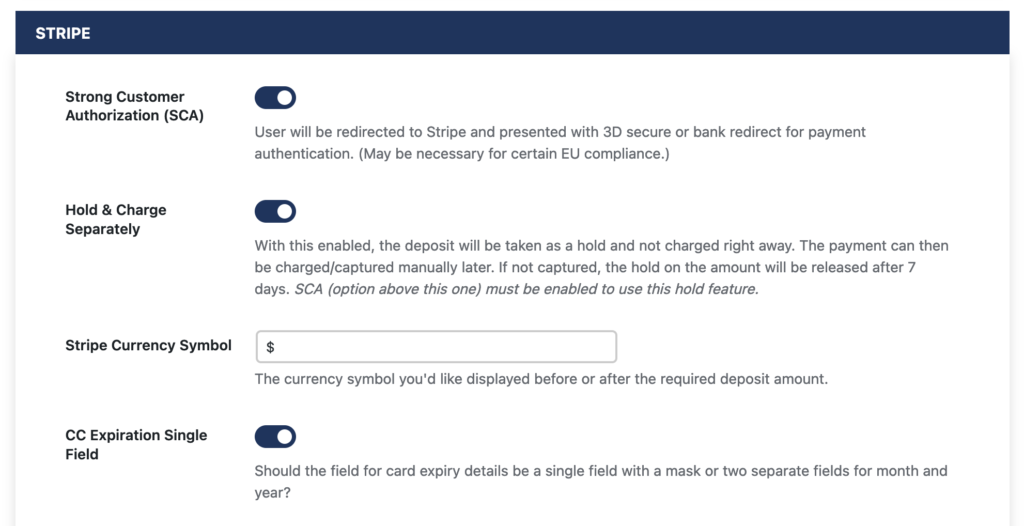
If you’d prefer to simply place a hold on your customer’s card instead of charging a deposit fee, you’ll need to use Stripe as your payment gateway, and enable Strong Customer Authorization (SCA). After that, toggle on Hold & Charge Separately.
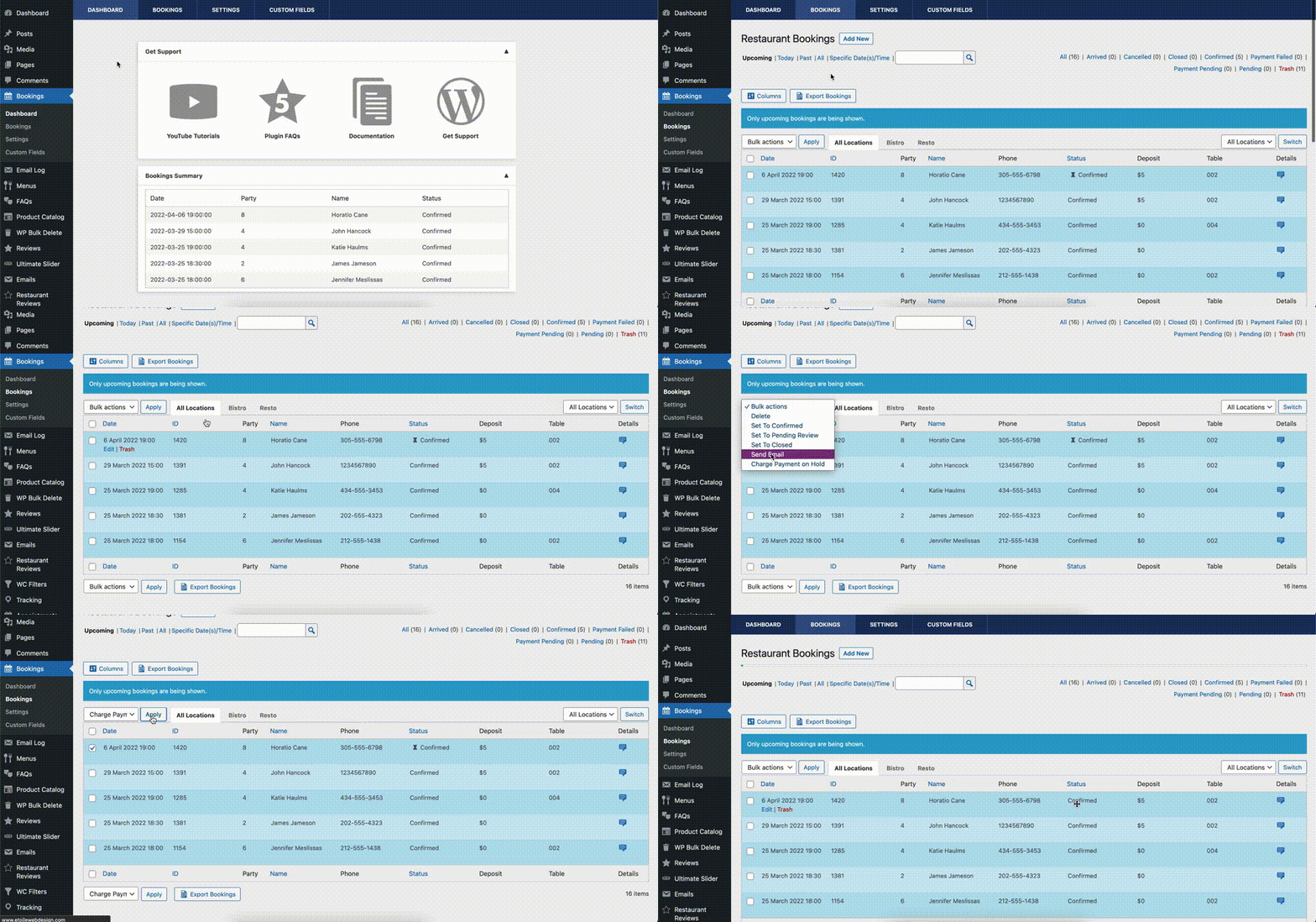
Now when a reservation is made, your customer’s credit card information is captured and stored by Stripe for up to 7 days. If they miss their reservation, you can then charge them the fee at that time from the Bookings screen in the admin, by selecting Charge Payment on Hold in the Bulk Actions dropdown, selecting the reservation(s) to charge, and then clicking Apply.
Knowing that there is a hold on their card is a powerful incentive for your customers to actually keep the reservations that they make, so you’ll (hopefully) have to charge very few of them for missing their reservations after the fact.
Is there more information you’d like about your customers when they make a reservation, such as dietary restrictions or whether they’ll be ordering from a special menu? Check out our final blog post about Five Star Restaurant Reservations in our Features series next week, when we cover Custom Fields for our Five Star Restaurant Reservations plugin!






Discover all of our WordPress restaurant plugins
Browse Plugins
